Sunday, March 05, 2006

Sony's PS3 to cost $900 US, Sony's Stock go way down boom

Sony recently announced that their much anticipated PS3 console will cost $900 US. As a result of that, their Stock Price went down to 5,300 ¥ (about $45). This is fucking ridiculouss! I've been talking to people, and we both agree that the only people who will buy this fall into one or more of the following categoriess:

  • Rich Bastards who have so much money that their Idea of spring cleaning is spending some of it
  • The Above, except that they respond to telemarketers by saying "Oh thank god! I'll take 50 of 'em. Finally I can put some of this money that's been lying around to good use!" and mean it
  • People with money burning a hole in their pocket
  • Reviewers for PC Magazine, ExtremeTech, 1up, GMR, etc
  • Employees of Sony.
  • Employees of Microsoft who find the obscure need to rip off All companys that compete with them
  • Bill Gate$ (he'll buy 500 of them and sell them on eBay to increase his wealth)

New Geek code

I've updated my geek code (from the original one I posted, see this page) to reflect some issues I noticed after a while. Here is a change log: I've gone from s- to s-:-- based on an event that happeneda few weeks ago. From c++ to c++>$ because I hope to one day make money out of my hobby. From U++ to UL++>++++$. I've done this to reflect that I use the linux variant of unix, and that I would like to be paid to be a linux SysAdmin. Gone From P+ to P+>++ to emphasize that I would like to learn more Perl. I used to be L+++ but now I'm L+++>++++$ because I want to be so good at it, people will pay me for it. From W+++ to being W+++>$ because I want to be (among other things) a webmaster when I grow up. I lied a bit here, so I went from N++ to N+. Sorry. I changed from M- to !M- to express that I will never use a Mac (see This Post for reasons why). I changed from V-- to V?. The reason this was originally V-- was because I believed that Unix was better than anything it came across. But given that I can not compare it with Something I have not used, I should change it to V?. I added 5?because I have never heard of Babylon 5 (flames to the Bit Bucket, Please!?). 'Nuff Said. I went from tv+ to tv-- because I have been watching less and less TV lately. It may change agiain, though. I used to be b++, but had to go to b+ because I can no longer find the time to read (outside of school, and not including PC Magazine and Extreme Tech). I wanted to express that all of the people I live with are complete anti-geeks (see this UserFirendly Comic strip for an Image of the typical anti-geek. My parents are a slight variation fo that, but pretty much the same.). As such, I added h--. I really like the WebToon UserFriendly, so I added UF++. This means "I have two or more User Friendly cartoons posted near my office/cube/whatever." Note that this is not an official part of the Geek Code; Illiad made this up. This is an explanation of what each segment means:

  • UF+++++ I am Illiad.
  • UF++++ I have accumulated more than 500 geekpoints.
  • UF+++ I am a Dust Puppy prototype.
  • UF++ I have two or more User Friendly cartoons posted near my office/cube/whatever.
  • UF+ I have been a victim of the User Friendly Productivity Virus.
  • UF I read User Friendly daily, often understanding it
  • UF- Why are they always picking on Stef? He's my idol.
  • UF-- Don't read it, but the fuzzy thing with feet is cute.
  • UF--- What's their tech support guy's problem? Why can't he answer honest questions without getting an attitude?
  • UF---- I am Crud Puppy.
The Final Geek Code Block now looks like this: -----BEGIN GEEK CODE BLOCK----- Version: 3.12 GCM/GS/E/IT/MC/M/TW/O dx s-:-- !a C++>$ L UL+++>++++$ P+>++ L+++>++++$ E W+++>$ N+ w--- !M- V? Y+ PGP 5? R tv-- b+ DI+ G h-- -----END GEEK CODE BLOCK-----

Friday, March 03, 2006

The big DRM mistake

I've been saying that this is why I will never buy an iPod in my life. As soon as you buy just one song in the iTMS, you're locked in. Period. End Of Story. Same story with the iPod. Put just one media file on that thing and you're locked into iTunes. It seems apple hasn't figured out why they only have 1-5% market share in computers (they're much to closed). I hate to say this, but this is where Microsoft has done something right. They licensed the OS to OEMs and hobbyists, and you can run a myriad of hardware and software on Windows (No, I don't own stock in Microsoft, and I've used Linux for the past 3 years). As soon as apple opens up their systems, they will have a new customer buying as many apple products as humanly possible. Draw your own conclusions and leave them in the comments.

Thursday, March 02, 2006

New Sign

A new sign now adorns my wall:
ACHTUNG! ALLES LOOKENSPEEPERS!
Alles touristen und non-technischen looken peepers! Das computermachine ist nicht fuer gefingerpoken und mittengrabben. Ist easy schnappen der springenwerk, blowenfusen und poppencorken mit spitzensparken. Ist nicht fuer gewerken bei das dumpkopfen. Das rubbernecken sichtseeren keepen das cotten-pickenen hans in das pockets muss; relaxen und watchen das blinkenlichten.

Monday, February 27, 2006

Portable Apps

Today I'm going to talk about all of the Portable Apps I have on my USB Key (or Flash Drive, or USB drive, or whatever you want to call it). I have:

Click Here for info on getting these portable apps.

Portable Firefox

Portable Firefox is just that: A Portable version of firefox. It allows the installation of extensions & Themes, and runs completely off of your USB Key without touching the hard Drive.

Portable Gaim

Portable Gaim is a Portable of the popular Open-Source IM program, Gaim (Adium is the equivalent on the Mac). Plugins can be installed, and, as with the rest of the programs, runs completely off of the USB Key.

Portable NVU

NVU is a webpage editing program based off of Mozilla Composer that is similar to Macrodobe Dreamweaver. It includes Sites, FTP, a pretty descent WYSIWYG editor, HTML Tidy, XHTML, Strict (X)HTML, and many other features.

Portable OpenOffice.org

OpenOffice.org is an open-source version of Sun's StarOffice. It includes a Word Processor (Writer), Spreadsheet (Calc), Presentations (Impress), Desktop Publishing (Draw), Database (Base), and Math Editor (Math). This program is un-runable on anything less than USB 2.0, so don't try it.

Portable Sunbird

Sunbird is a stand-alone Calendar App from the Mozilla Foundation (The Firefox People). It includes iCal support, import and export of most standard formats (including MS Outlook), Calendar Printing, Publishing and more.

Portable Thunderbird

Thunderbird is a Mail & News Application from the Mozilla Foundation. It is supported by extensions and Themes. It supports RSS, Atom, POP3, IMAP, SMTP, Multiple accounts, and Podcasts (or any feed with an enclosure, for that matter).

PStart

PStart is a nice (and by that I mean tiny (size measured in Kilobytes)) app that acts a a launch pad for all of your portable applications. It can also tap into the host computer with a built-in search function. You can organize your Apps into folders, or just leave them alone.

Getting the Portable Apps

You can get all of these portable apps at http://portableapps.com/apps. Something of note: DO NOT TRY TO RUN THESE PROGRAMS ON ANYTHING LESS THAN A USB 2.0 PORT. Otherwise, it will take (trust me on this) forever to load. Even PStart takes about a minute to load, and that's a long time for a program who's size is measured in Kilobytes. You've been warned.

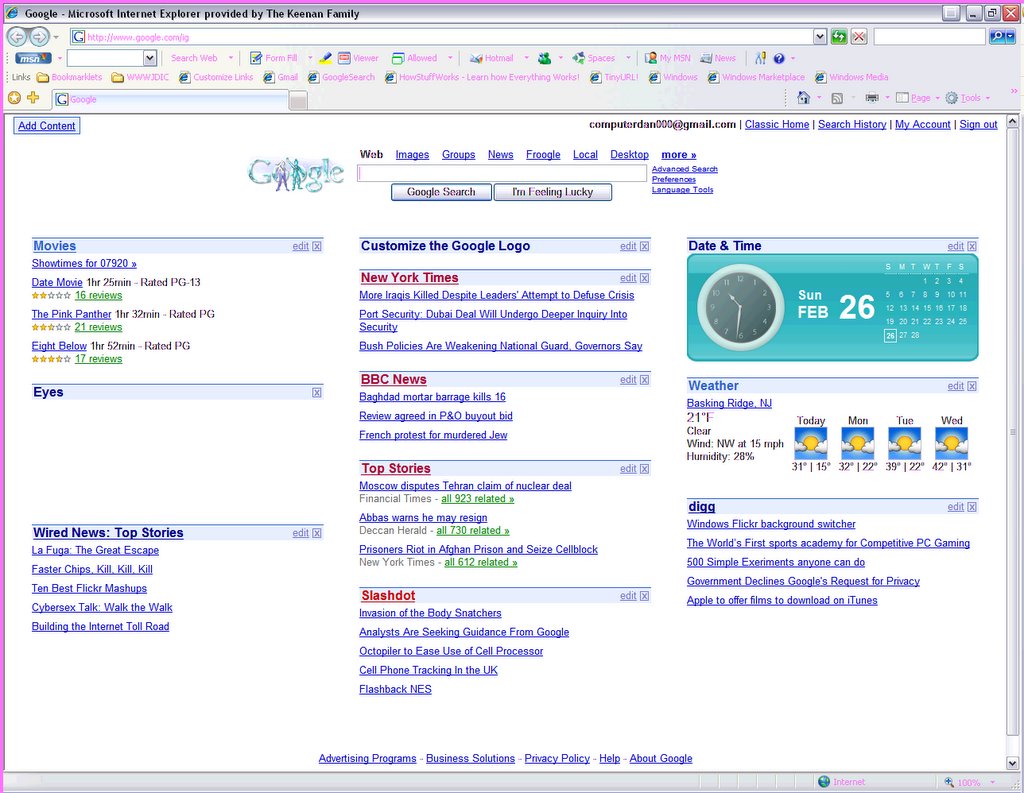
500 Hits Now!

I now have (over) 500 hits on this site! As of last night (the 500th hit didn't bother to e-mail me, so I don't know the exact time) the counter read 500. Again, if you are the 500th hit, I beg of you to e-mail me! Please!

Sunday, February 26, 2006

500 Hits?

To all of my loyal readers: I am approaching my 500th Hit on this website. As of 9:05 PM EST February 26, 2006, the counter is at 497. As soon as the counter hits 500 (the counter is at the bottom of the page), please e-mail me at danielskeenan@goowy.com with the following:

  • Your First Name and Last Initial
  • Time you visited the site (please include your Time Zone)
  • a valid e-mail adderess (I won't give ths out)
  • The City, State, and Country you live in (at least the state and country, please)
This is an important time in my blogging history, and I want to preservet this moment in time. Don't include anyhting you don't want the whole world knowing (with the exception of your e-mail adderess). Thank You

IE7 (a.k.a. Microsoft Windows Internet Explorer 7 Beta 2 Preview)

Hi, My name is Daniel, and this is Internet Explorer 7 (The Official Name is "Microsoft Windows Internet Explorer 7 Beta 2 Preview"!

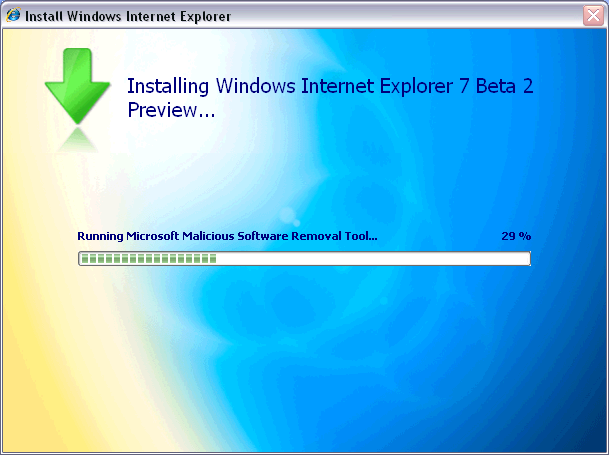
After downloading the Installer, you are presented with a clean Installation interface:
The EULA, according to EULAlyzer, contained few Interesting words. If you want the full text, you can get it here. To Install IE7, You must Validate your Copy of Windows (we all love doing that, don't we).
You then have to download and install any updates to Windows (and, for that matter, Internet Explorer), as well as run the Microsoft Malicious Software removal tool.
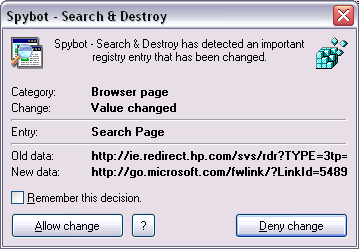
In the installation process, it changes your browser's Search page...
...Your default Home Page...
...And your default Search Engine.

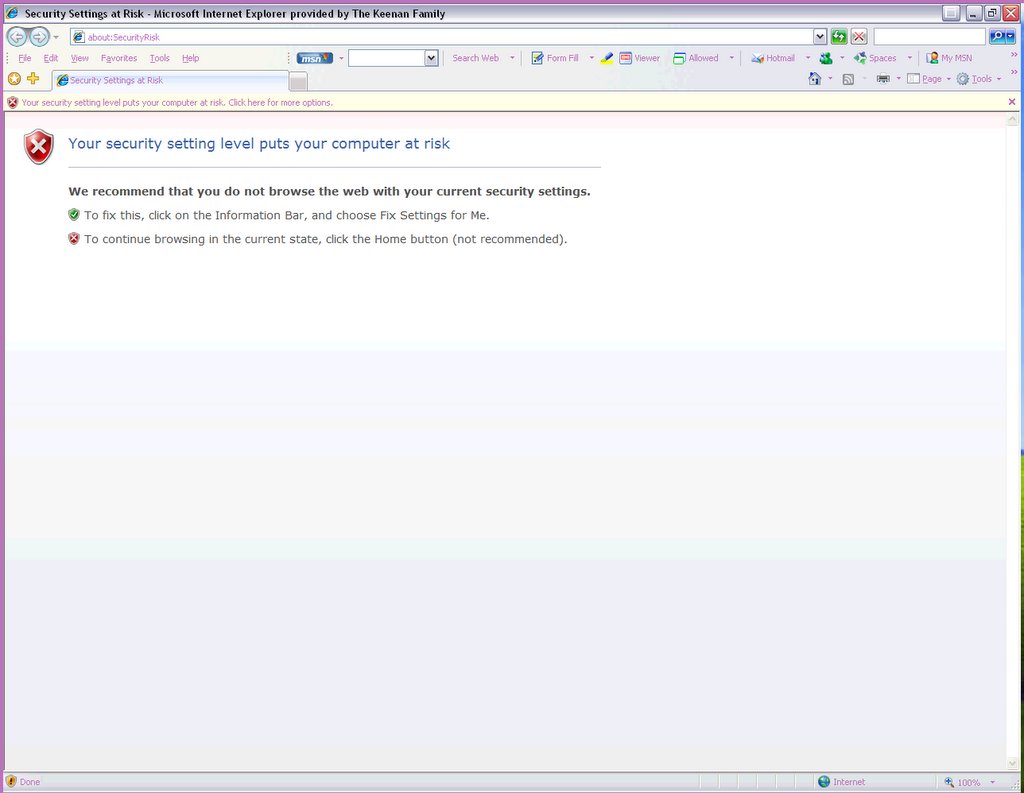
When you launch Internet Explorer, the window looks something like this:
Take a look in the About Box if you are still not convinced that something is different.
The New Internet Explorer has Support for the Open Search Standard, which hopefully means that developers won't have to create 50 million different plugins for five different browsers for one website. Another good thing is that there is now more Pathetic Dog or weirdo in a car! Yahooooooo! (Sorry, Yahoo! Inc.) The feed discovery seems to support both Atom and RSS. Personally, I like the way IE7 (sorry!) handles Feeds as opposed to Firefox 1.5. The Feeds feature supports enclosures, so that means it also supports Podcasting. Something newcomers to Feeds will like is the "Friendly" interface that IE7 gives to feeds. Microsoft has done some very innovative things (Microsoft and innovative in the same sentence... Something's Wrong here...) with tabbed browsing. Such innovative Things include a live preview of everything that's in each tab and the tab close button is on the tab itself, as the location of the close button in Firefox is something that can be confusing for first-time Users. One problem that exists in this build is that you can not go to another tab while the page is still loading, or it will go to about:blank (a blank page) in the original tab. Something else that you can do in IE7 is, similar to how control-enter adds "http://www." and ".com" to the URL, alt-enter opens it up. Control-alt-enter, however, will not complete the URL and open it up in a new tab. Back on the topic of search, IE7 has an emphasis on search (similar to Windows Vista), and not just MSN Search. You can add a wide variety of search engines (see http://www.microsoft.com/windows/ie/searchguide/default_new.mspx), and developers are working on more. Security (finally!) is another emphasis of IE7, via the New Security Shields and a built-in, turned-on-by-default phishing filter. I couldn't test out the phishing filter (isn't it strange how when you want a phishing site, you can't find any, but when you don't want it, you find dozens...), but I'll assume it works alright. Something new about the interface is that Microsoft has done away with the concept of FEV (File-Edit-View) and the All-of-the-icons-are-in-one-spot-in-the-corner philosophy and opted instead to spread it out. One more thing: IE7 is Very Slow. I don't know if it's my Internet Connection (although it's probably not because it's much faster in Firefox), but something needs to be done about this.


The following is a picture tour of the New IE:
The Top Toolbar. Features the Back/Forward Buttons, the Location bar, the Refresh Button (That strange green button with the two arrows), the stop button, and the Search Bar. This toolbar is locked in place, so not even clicking "unlock toolbars" will unlock it.

The Bottom Bar. It contains the Sidebar button, the Add to favorites/Subscribe Button, the Tabs, The Home Button, the Feeds button, the Print Button, the Page Button (Similar to the view button in IE 6), and the Tools Button. Not seen is the Help Button, the Research button, and a space for other programs to put their buttons (Why can't Microsoft get rid of this).
The Information Bar. Hasn't changed much, except for maybe a few new messages.
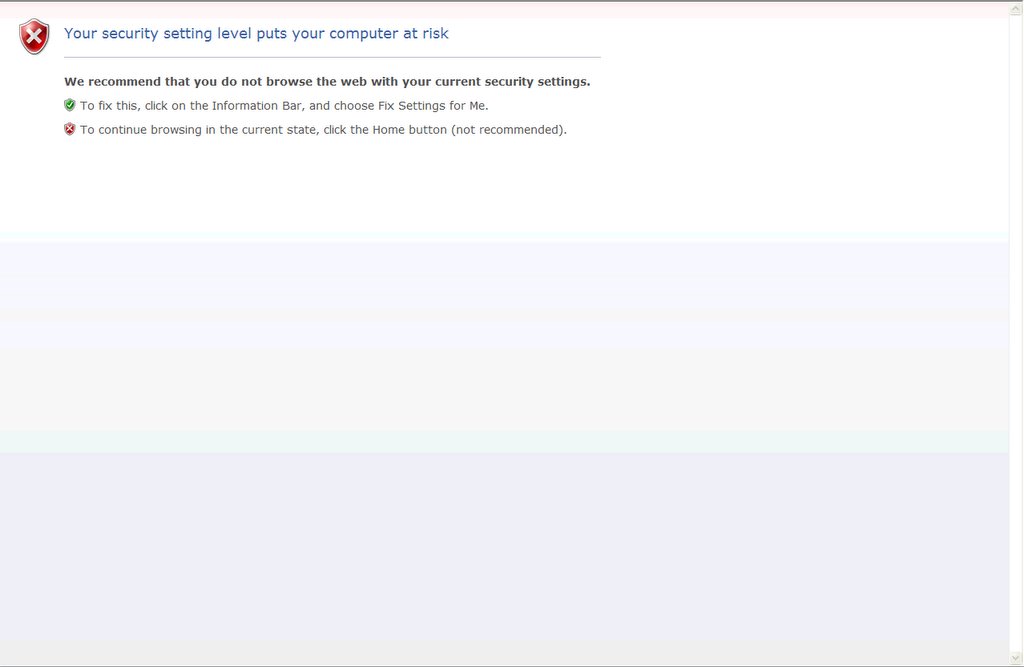
The Browser Window featuring a Security Warning. Also an example of the "Security Shields."
The Status Bar. The Shield on the Left-Hand Side is an indicator of the Security Status of the Website. The "Zone" Indicator is still there. New to the Status bar is the Zoom Button. The Zoom button does just that: it zooms in on the entire page.
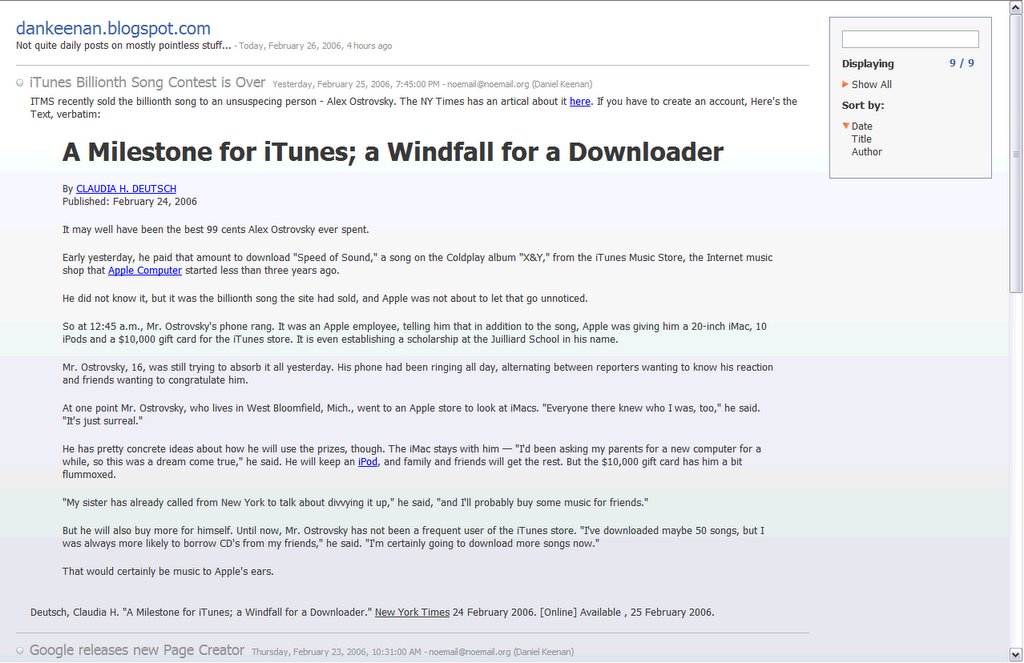
An example of how IE7 handles Feeds. In this windows is my own feed. At the top, IE displays the title of the feed, followed by the date it was last updated. Each feed item is listed next to a bullet with the name and Date of Posting. On the right is a search box, followed by ways to sort the feed.
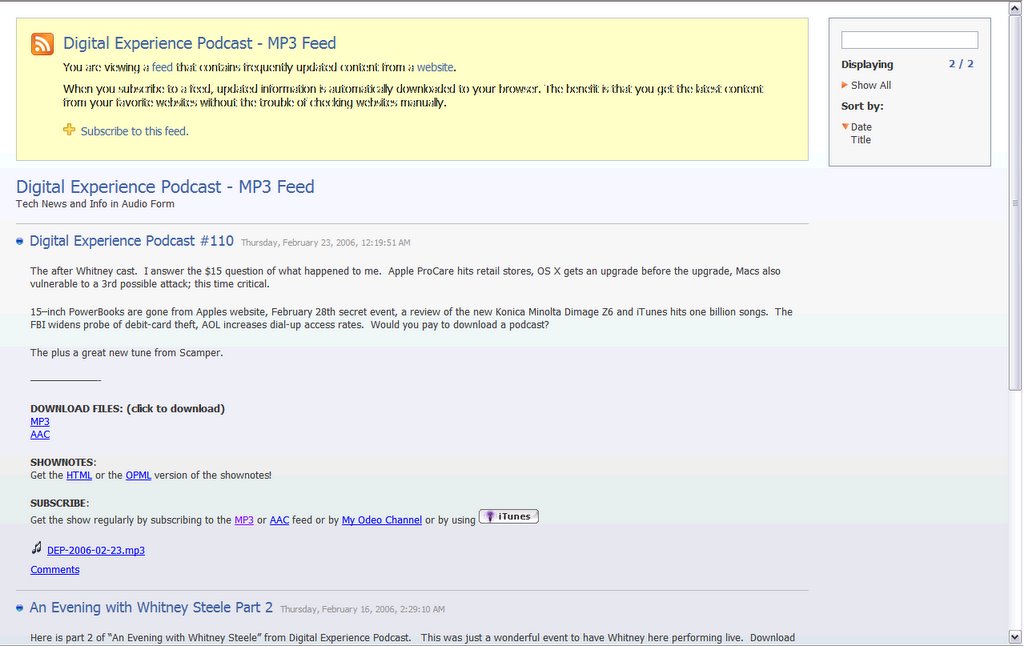
An Example of how IE7 handles feeds with enclosures. For this example, I chose one of my favorite podcasts, the Digital Experience Podcast. You can see that the content is the exact same as the post on his website (www.digitalexperiencepodcast.com), but IE7 adds the Link at the Very bottom (the one that looks like ¯ DEP-2006-02-23.mp3)
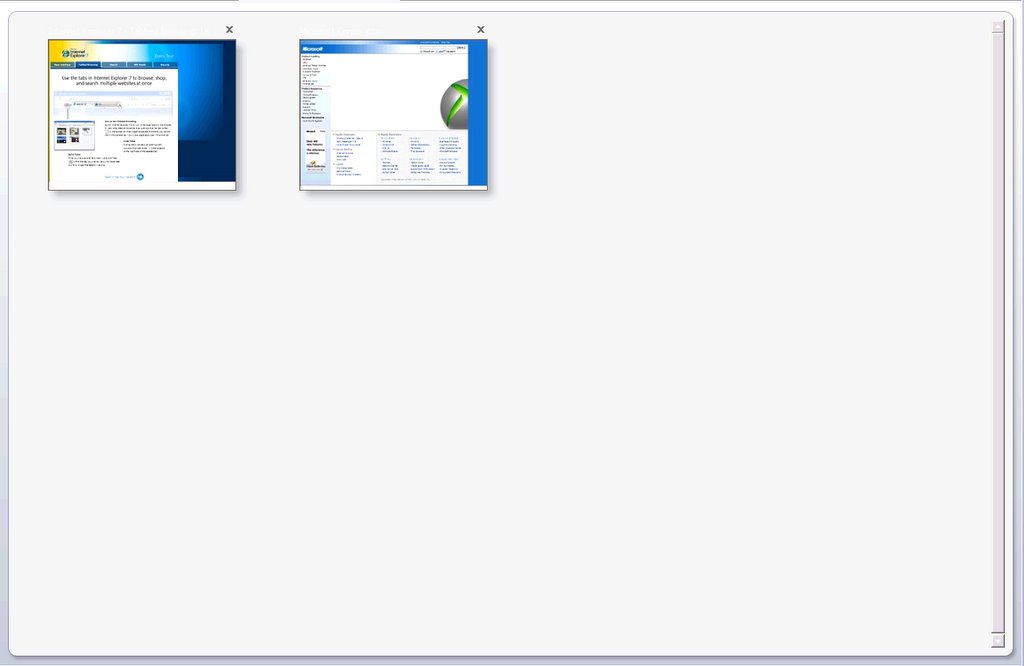
The tabbed browsing view. You get to this by clicking on the button that has four boxes in it.
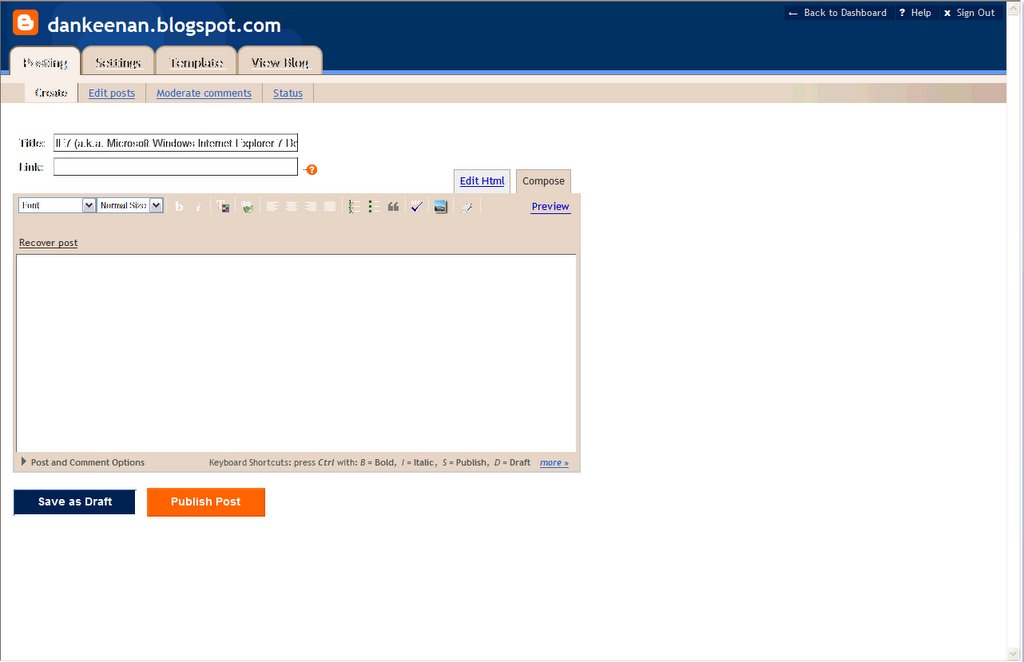
One more thing. IE7 seems to have issue with blogger's entry form. UPDATE: PC Magazine recently did an article about IE7 (Vol. 25 No.5, for March 21st 2006). You can get the article online at go.pcmag.com/ie7.

Saturday, February 25, 2006

iTunes Billionth Song Contest is Over

ITMS recently sold the billionth song to an unsuspecing person - Alex Ostrovsky. The NY Times has an artical about it here. If you have to create an account, Here's the Text, verbatim:

A Milestone for iTunes; a Windfall for a Downloader

Published: February 24, 2006

It may well have been the best 99 cents Alex Ostrovsky ever spent.

Early yesterday, he paid that amount to download "Speed of Sound," a song on the Coldplay album "X&Y," from the iTunes Music Store, the Internet music shop that Apple Computer started less than three years ago.

He did not know it, but it was the billionth song the site had sold, and Apple was not about to let that go unnoticed.

So at 12:45 a.m., Mr. Ostrovsky's phone rang. It was an Apple employee, telling him that in addition to the song, Apple was giving him a 20-inch iMac, 10 iPods and a $10,000 gift card for the iTunes store. It is even establishing a scholarship at the Juilliard School in his name.

Mr. Ostrovsky, 16, was still trying to absorb it all yesterday. His phone had been ringing all day, alternating between reporters wanting to know his reaction and friends wanting to congratulate him.

At one point Mr. Ostrovsky, who lives in West Bloomfield, Mich., went to an Apple store to look at iMacs. "Everyone there knew who I was, too," he said. "It's just surreal."

He has pretty concrete ideas about how he will use the prizes, though. The iMac stays with him — "I'd been asking my parents for a new computer for a while, so this was a dream come true," he said. He will keep an iPod, and family and friends will get the rest. But the $10,000 gift card has him a bit flummoxed.

"My sister has already called from New York to talk about divvying it up," he said, "and I'll probably buy some music for friends."

But he will also buy more for himself. Until now, Mr. Ostrovsky has not been a frequent user of the iTunes store. "I've downloaded maybe 50 songs, but I was always more likely to borrow CD's from my friends," he said. "I'm certainly going to download more songs now."

That would certainly be music to Apple's ears.

Deutsch, Claudia H. "A Milestone for iTunes; a Windfall for a Downloader." New York Times 24 February 2006. [Online] Available , 25 February 2006.

Thursday, February 23, 2006

Google releases new Page Creator

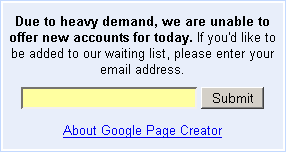
"Google Page Creator is a free online tool that makes it easy for anyone to create and publish useful, attractive web pages in just minutes." This is both amazing and strange. Wonder if all of the Websites you create with it will have "Ads by Google" on it.... I'm going to try it out and hopefully get you a review by Sunday, February 26th.

UPDATE: Google (of all sites) seems to be suffering from the digg effect, based on the following image that now appears on the google pages page:

Sunday, February 19, 2006

Technorati

OFFICIAL SERVICE ANNOUNCMENT I am now listed in Technorti, a popular Blog Search Engine. You can find me at http://www.technorati.com/profile/dankeenan. Go ahead. Check it out!

The Ultimate Geek Desks

This Web Site sells, what would IMHO, be the ultimate geek desks. I mean, just, well... Just go to the Website at http://www.poetictech.com/. I like the aura the best. Here's hoping things like this will help people like me from drowning in a pile of Papers, Disks, Empty Ink Cartridges, Boxes for new computer equipment that seem to magically appear, etc.

Wednesday, February 15, 2006

Inside Newegg

If you're like me, you shop at newegg a lot. Pretty much everything that's sitting on my desk right now was purchased from NewEgg.com. Now, my dream has come true. AndAndTech has a tour of NewEgg's Warehouse. Check it out!

WTF!? RIAA Says Ripping CDs to Your iPod is NOT Fair Use

The RIAA argues in a DMCA rule-making filing that copying for personal use (to an iPod) is not fair-use. Next, blowing your nose on someone elses box of tissues will get you a $900 fine, plus a replacement box of tissue :-)

Tuesday, February 14, 2006

How to stop Firefox from "leaking" memory

To all my loyal viewers: Today I am going to reveal a deep, dark, secret about Firefox. How to disable the memory leak that can cause it to take ove >1GB RAM.

  1. Open up a new tab and navigate to "about:config" or use the extention Preferential (http://tinyurl.com/bpn2q)
  2. Find "browser.sessionhistory.max_total_viewers"
  3. set the Value to Zero (0)
What this is doing is stopping firefox from cacheing pages you've seen. The reason this can sometimes be a problem is when you visit multimedia-heavy or AJAXy pages (like digg or Google Reader) Firefox tries to remember all of that stuff in addition to what you have now. A more detailed explenation of this is available at http://tinyurl.com/d3rsg.

Saturday, February 11, 2006

New Feed Location

OFFICIAL SERVICE ANNOUNCEMENT For those of you who have subscribed to my feed, I have moved feed locations. Both the RSS Feed and The Atom Feed are now available at http://feeds.feedburner.com/DanKeenan. For the next thirty days, When you hit the old feed it will redirect you to the new one, but after that, it is gone.

Friday, February 10, 2006

Writing sensible email messages

I get e-mail. I get lots of e-mail. And sometimes I get so much e-mail, I just skip over it so I can get some sleep instead of check e-mail for 24 hours straight. If you want me - scratch that - anyone to read the e-mail you spent so much time on (I hope), please read this. Normally I don't conclude this way, but this is a topic I can not stress Enough. Thank you in advance.

Thursday, February 09, 2006

Thunderbird Extention Easter Egg!?

I had recieved an e-mail from one of my aunts and was suprised to find this, Displayed the the Thunderbird extention that displays the Mail User-Agent (aptly titled "Display Mail User Agent Extention"). Take a look at the Image below, and go ponder what kind of person the person who wrote the extention was... Note that you really need to click on it to read what it says.

The Code of the Geeks v3.12

I was browsing around the UserFriendly Archives the other day and stumbled upon this little gem. I know people are going to ask, so my geek code is as follows: -----BEGIN GEEK CODE BLOCK----- Version: 3.1 GCM/GS/E/IT/MC/M/TW/O dx s- !a C++ L U+++ P+ L+++ E W+++ N++ w--- M-- V-- Y+ PGP R tv+ b++ DI+ G ------END GEEK CODE BLOCK------ Note that this is somewhat outdated, and that is evident in some of the categories, but it is still pretty neat.

Thursday, February 02, 2006

How to rank higher on Google

If you have a website (maybe with AdSense), ranking as high as possible can be important. This website does a good job as showing you how you can tweak your HTML code to get a higher PageRank Ranking. When your page rank is higher, Your page shows up higher in the Google search results. Check it out!